Onboarding to Data Intelligence Hub
A quick guide to the DIH First onboarding process
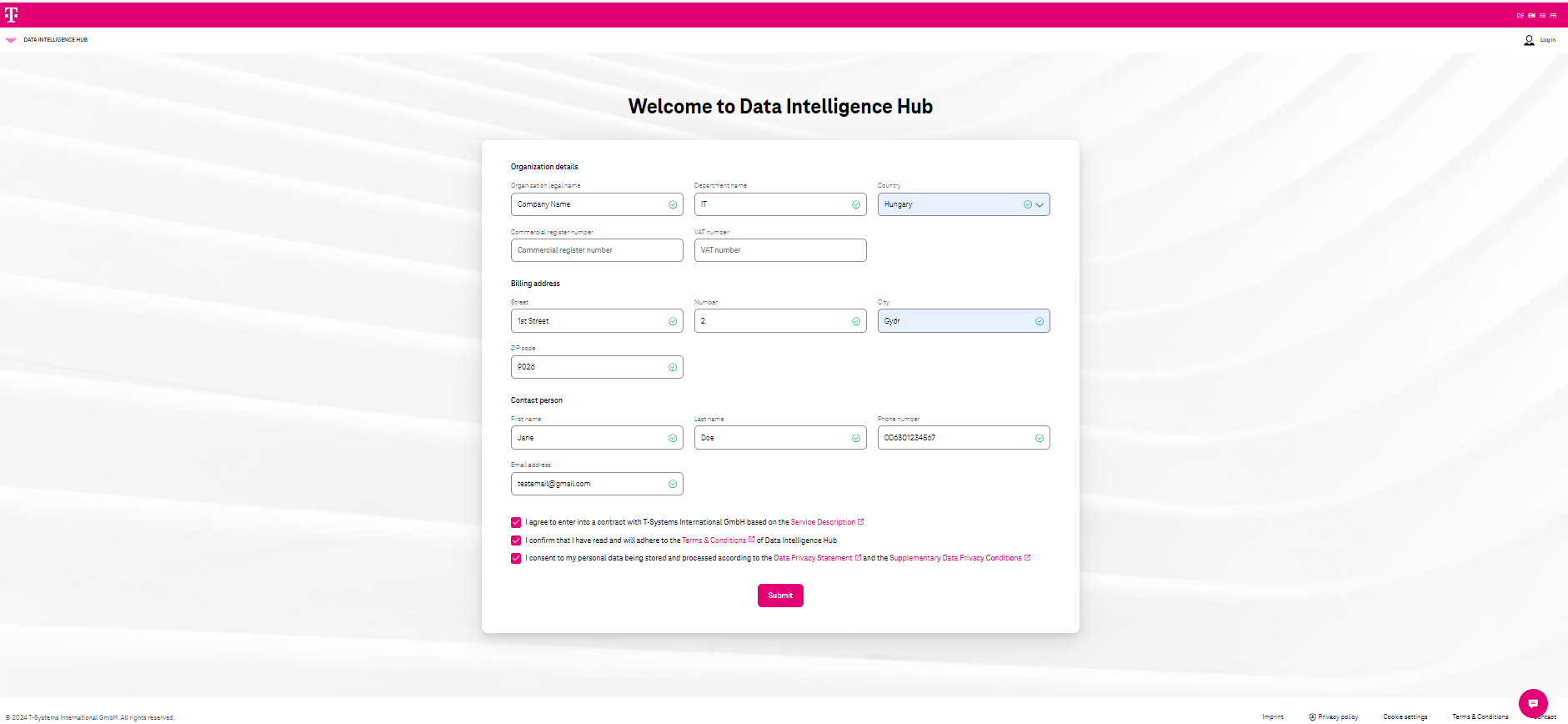
Section titled “A quick guide to the DIH First onboarding process”First, the onboarding form is available to the customer for organization registration:
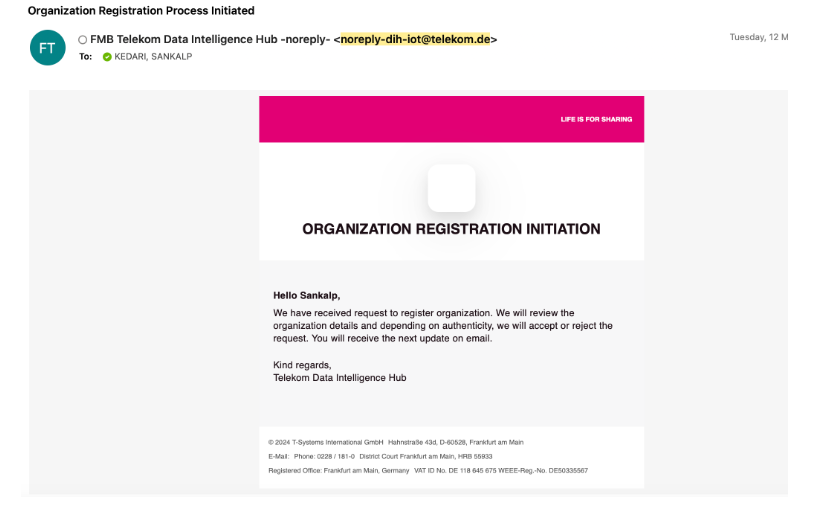
After which, the following email is sent to the organization contact:
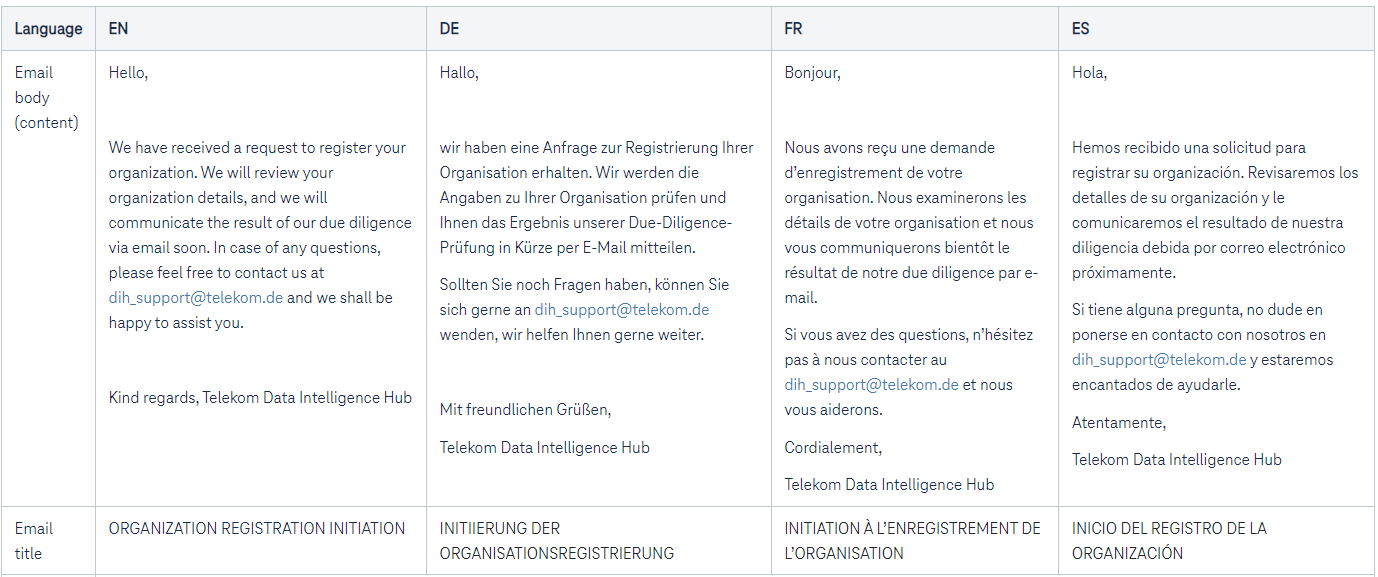
The email body content:
Sales teams support customers during the registration process in DIH Portal.
After the customer completes the form, the SDM squad is informed for organization approval. SDMs can be reached via DiH_SDM_Squad@mg.telekom.de
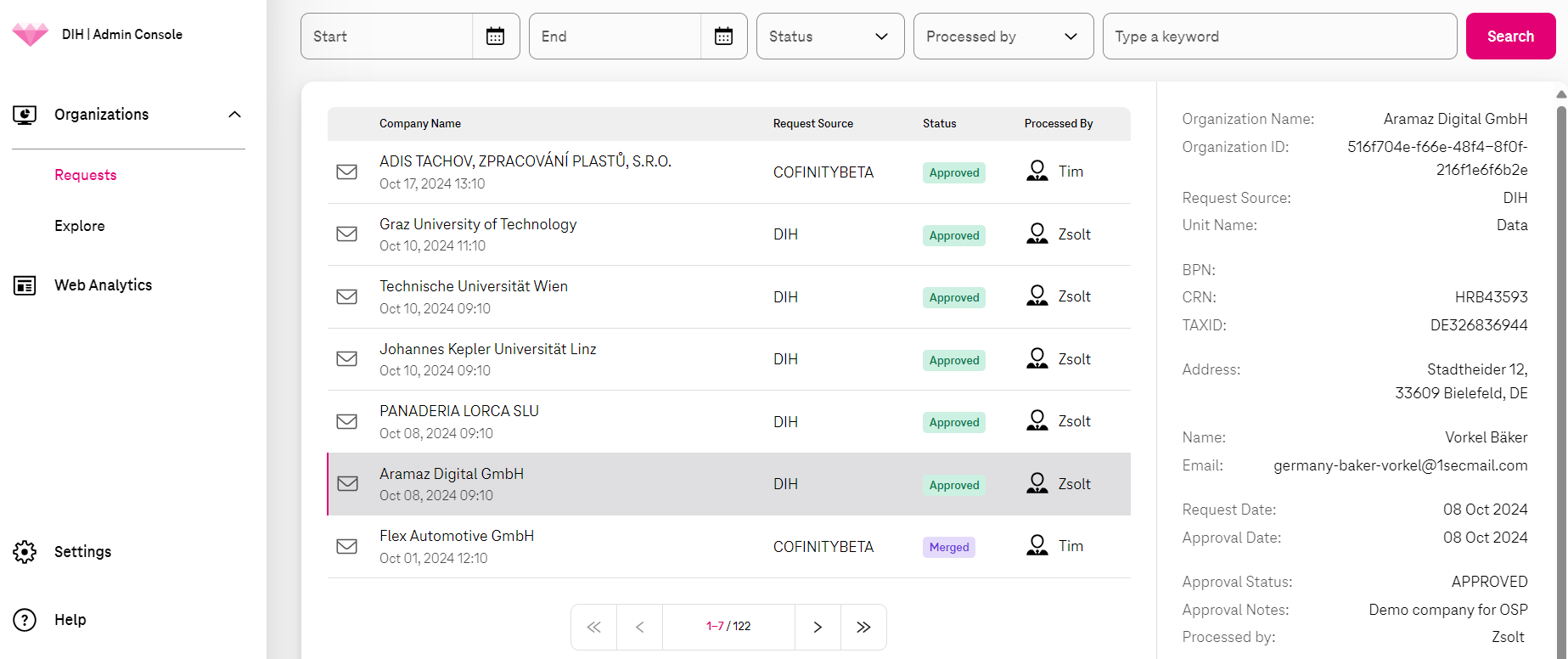
The SDM can review / approve the forms in the DIH I Admin Console.
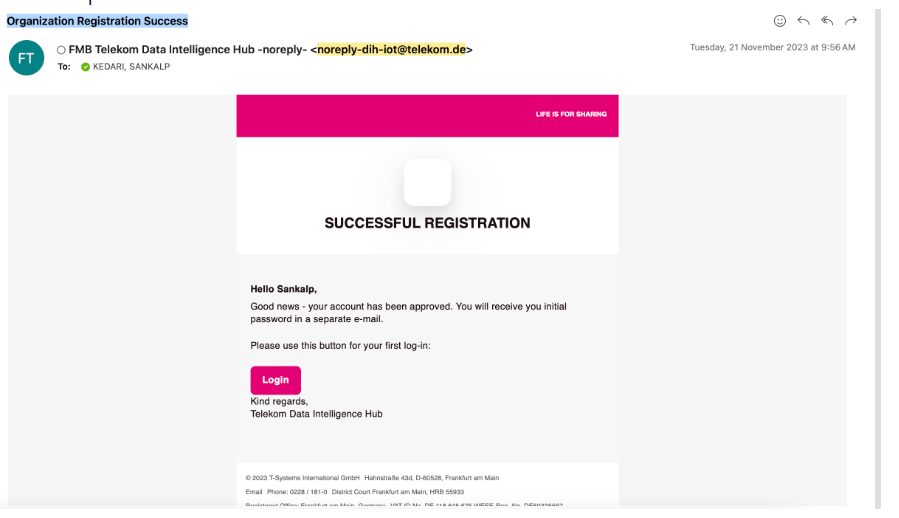
After SDM approval is completed, the customer receives an approval email with a one-time password and link to the DIH Portal:
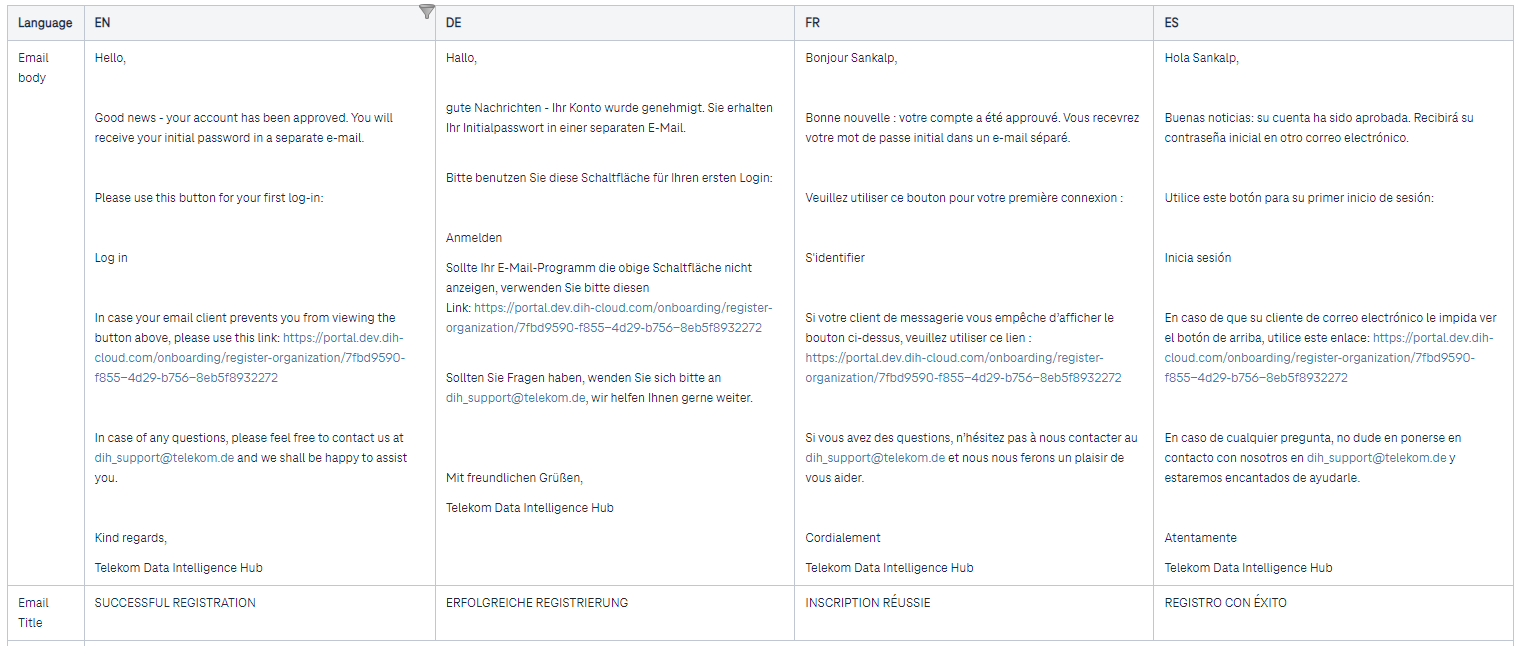
Email body content:
Customer can access the DIH Portal after initial password reset.
The default role of the person who is onboarding the organization is an “Administrator”. Furthermore, this Admin can invite more users.
- The detailed process can be found here: Invite users
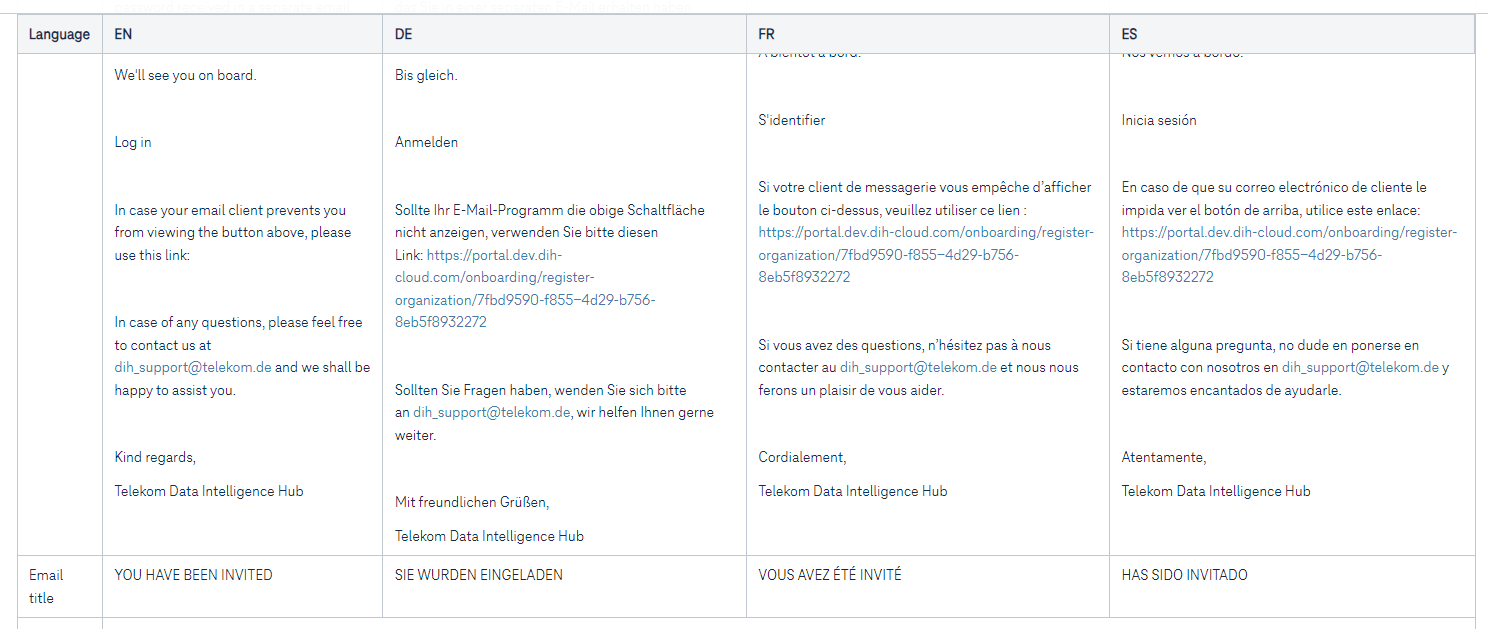
- The invited customers receive the following email content: